
BEFORE YOU START
What you need
- A reachable CUCM connection and user-creation permission; devices require their own creation permission.
- Prepare the location, number range and templates or Template 2.0. Directory-managed users must come from the LDAP directory.
Open the correct cluster and user area
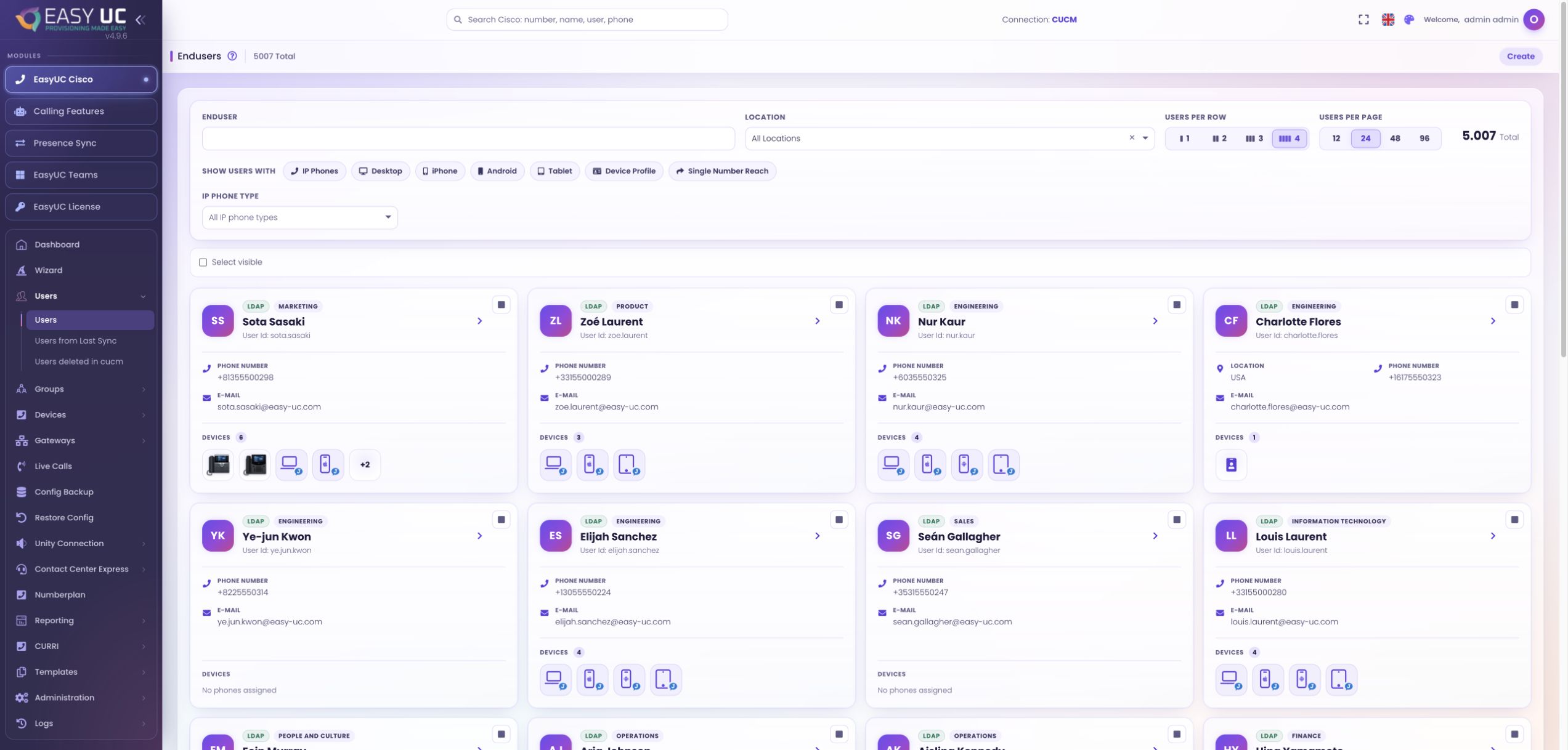
Where to work: Cisco → Users → Create
Select the CUCM connection and search the user list for the intended User ID before choosing Create. Check whether the identity already exists or has been synchronized, and note existing device associations for the later review.
Choose the location and configuration basis
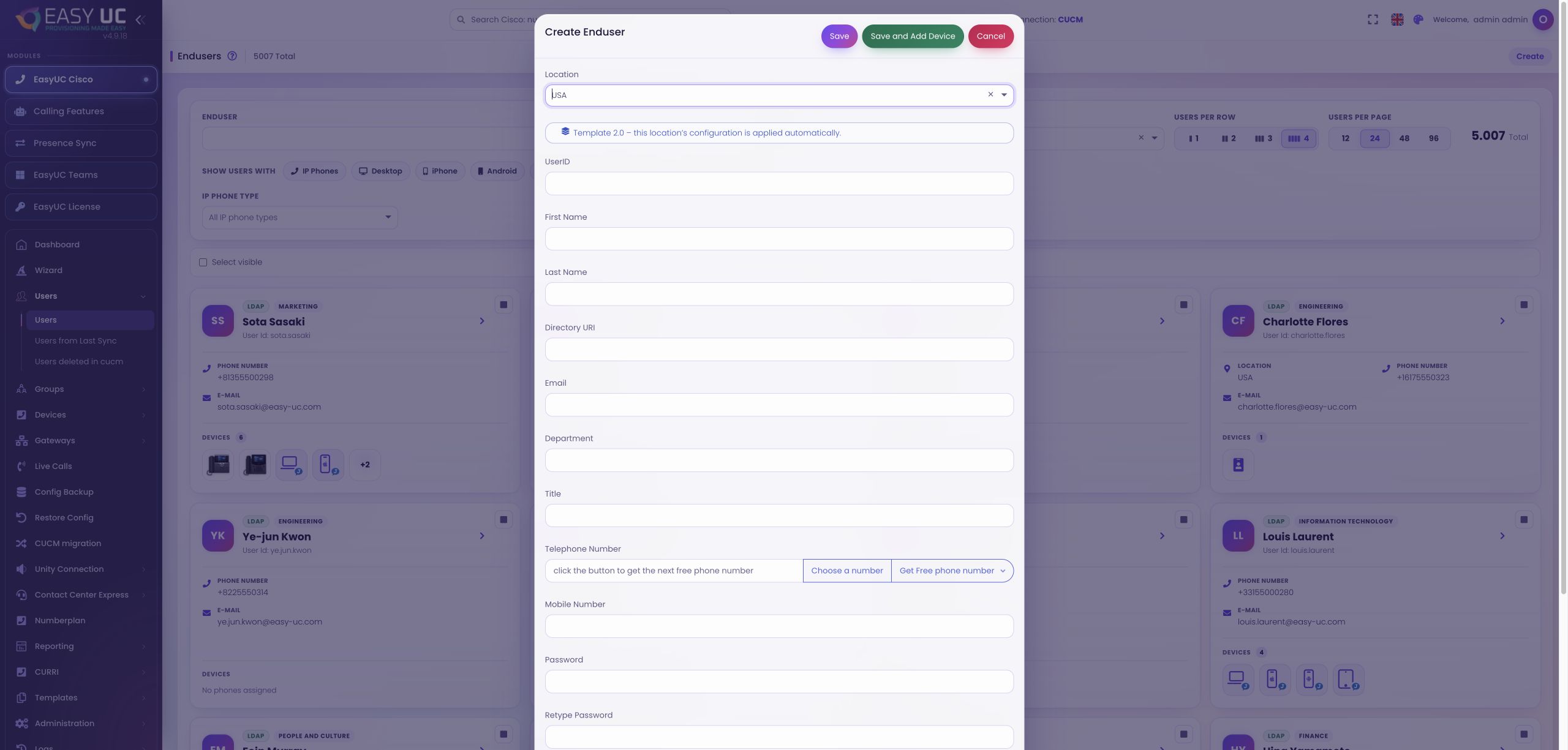
Where to work: Create Enduser dialog → Location / Package / Template
Choose the location and its applicable package or user template. Template 2.0 uses the configured location rules. Recheck the template after changing location so subsequent number and device choices use the intended configuration.
Enter identity and contact details
Where to work: Create Enduser → User ID and user fields
Enter the User ID, names and required contact information, including email, Directory URI, department or mobile number where relevant. Follow your naming standard and correct any field validation errors before saving.
Prepare the number and credentials
Where to work: Create Enduser → Telephone Number / Password / PIN
Enter a number or use Get Free phone number to request the next available number from the configured range. Verify its location, set and repeat the password and PIN, and plan the line assignment needed on the device.
Save and continue with device creation
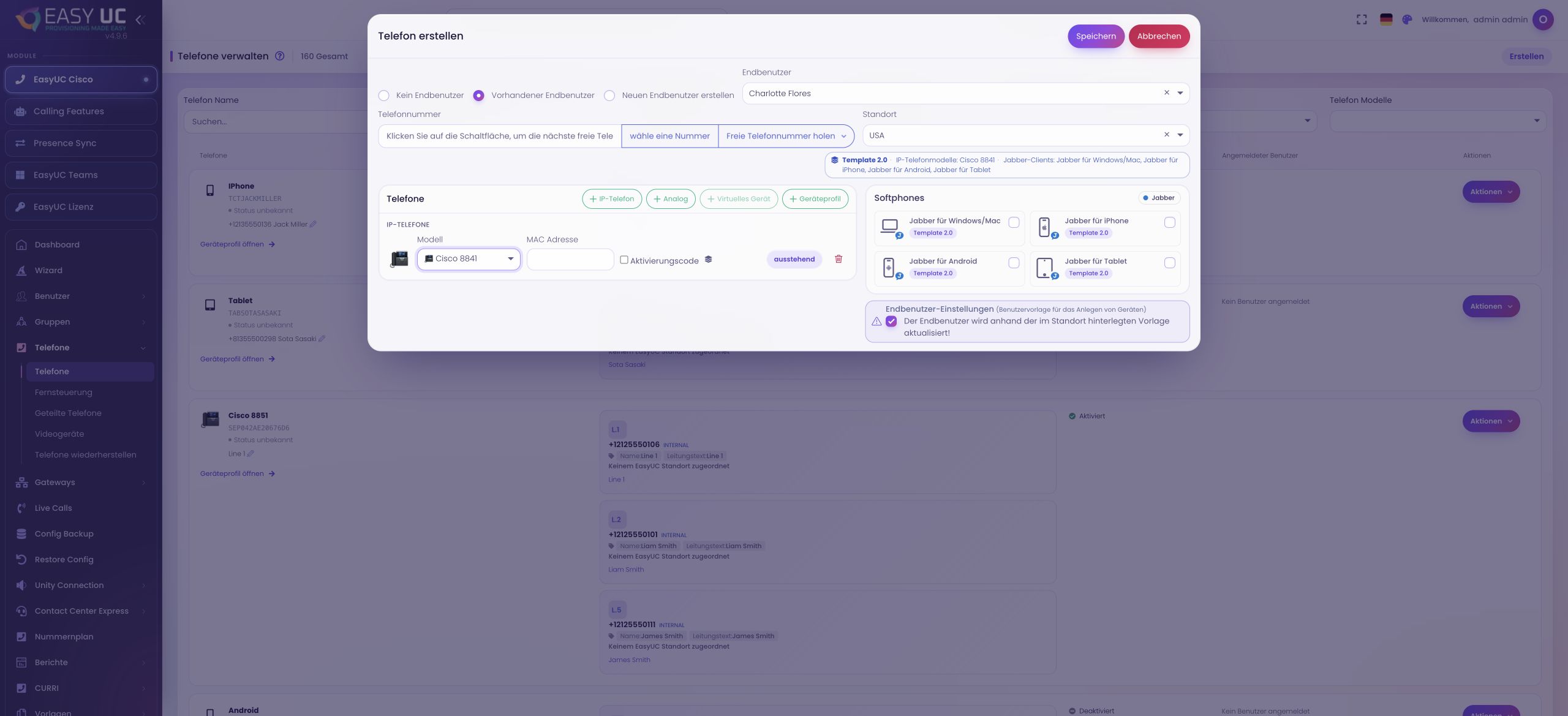
Where to work: Save or Save and Add Device
Save creates the user. Save and Add Device continues to device creation when permitted. Choose the device type and required details, such as model and MAC address, and verify the number and user association before saving.
Verify the provisioned workspace
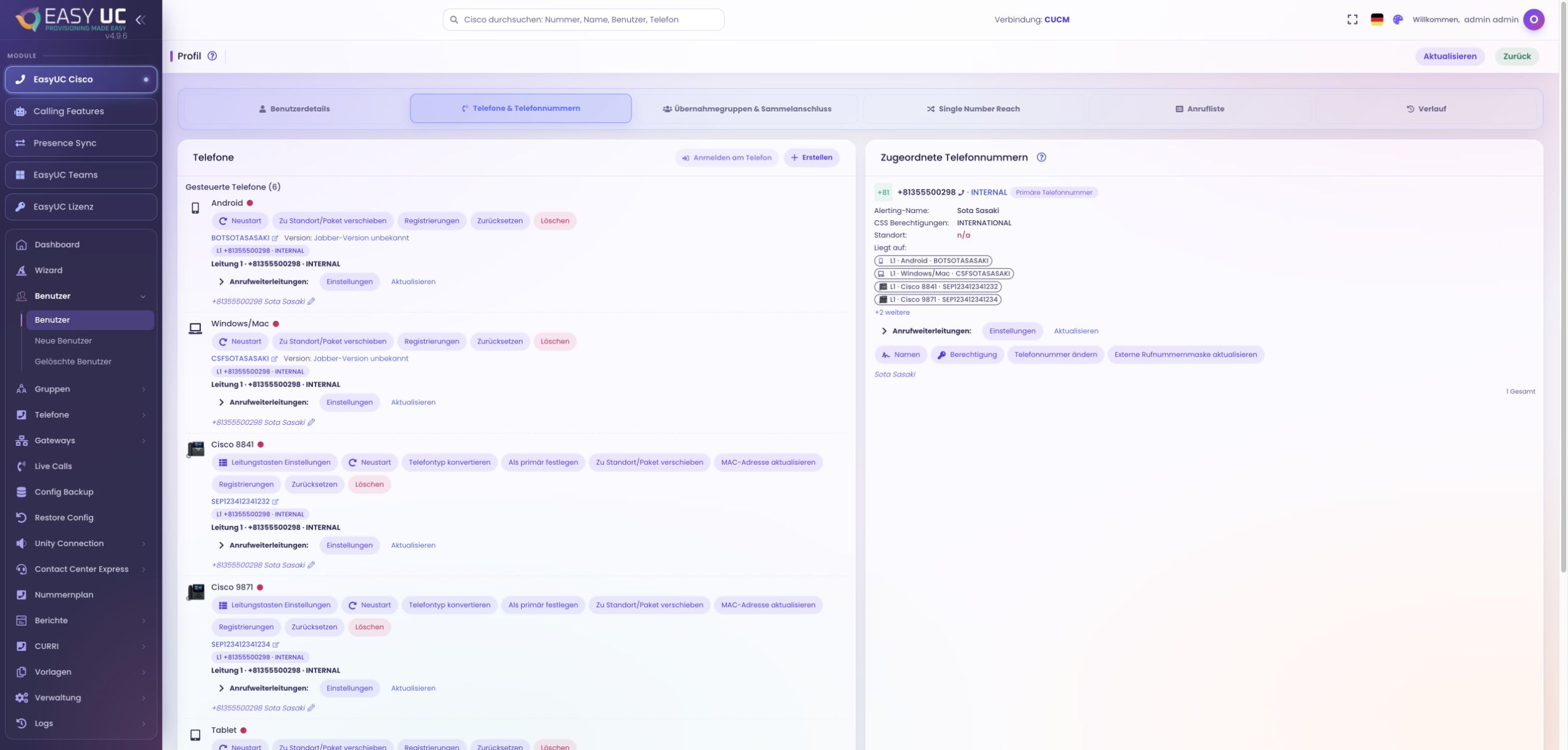
Where to work: User profile → Devices and lines
Review the user profile, number, devices and lines. Creating the user does not itself confirm phone registration or mailbox availability; verify those in their respective views before handing over the workspace.
The result
A verified local CUCM user with a selected number and deliberately provisioned devices, with the resulting configuration visible in the profile.
Good to know
- Local user creation does not create an AD account. LDAP identities follow the directory process before telephony provisioning.
- Available fields, templates and devices depend on the connection, location configuration, licence and permissions.
Captures come from the EasyUC lab and demo environment. Captions identify setup and simulation states. If the interface is not yet available in your language, its original language is labelled. Available features depend on the version, permissions and configured connections.