
Security & transparency
Security needs a clear process.
We bring together available security advisories for monitored components, review them daily as a team and share approved findings in a clear, accessible format.
From advisory to update
Identify. Review. Resolve. Inform.
Automated sources provide signals. Our team assesses their relevance to EasyUC and decides on action and publication.
- 1
Collect available sources
Available security sources are collected automatically for tracked components. Additional reports and manual checks help complete the picture.
- 2
Review every day
Our team reviews advisories daily: Is EasyUC affected, how serious is the issue and which measures are needed?
- 3
Prioritise remediation
Critical issues take priority. Where possible, we provide a patch promptly; otherwise, the fix is included in a new release. Changes are tested before they are made available.
- 4
Share useful information
Following explicit approval, we publish the relevant information with a status, recommended action and, where available, a patch or suitable release to download.
A view across the technical foundation
Monitoring covers tracked application and operating system components, including PHP, Linux, libraries and databases. Some Linux base information is supplemented by manual review.
- PHP
- Linux
- Libraries
- Databases
- Other components
Inside the process
From internal findings to clear customer information.
These example views show how advisories are reviewed, explicitly approved and then presented to customers.
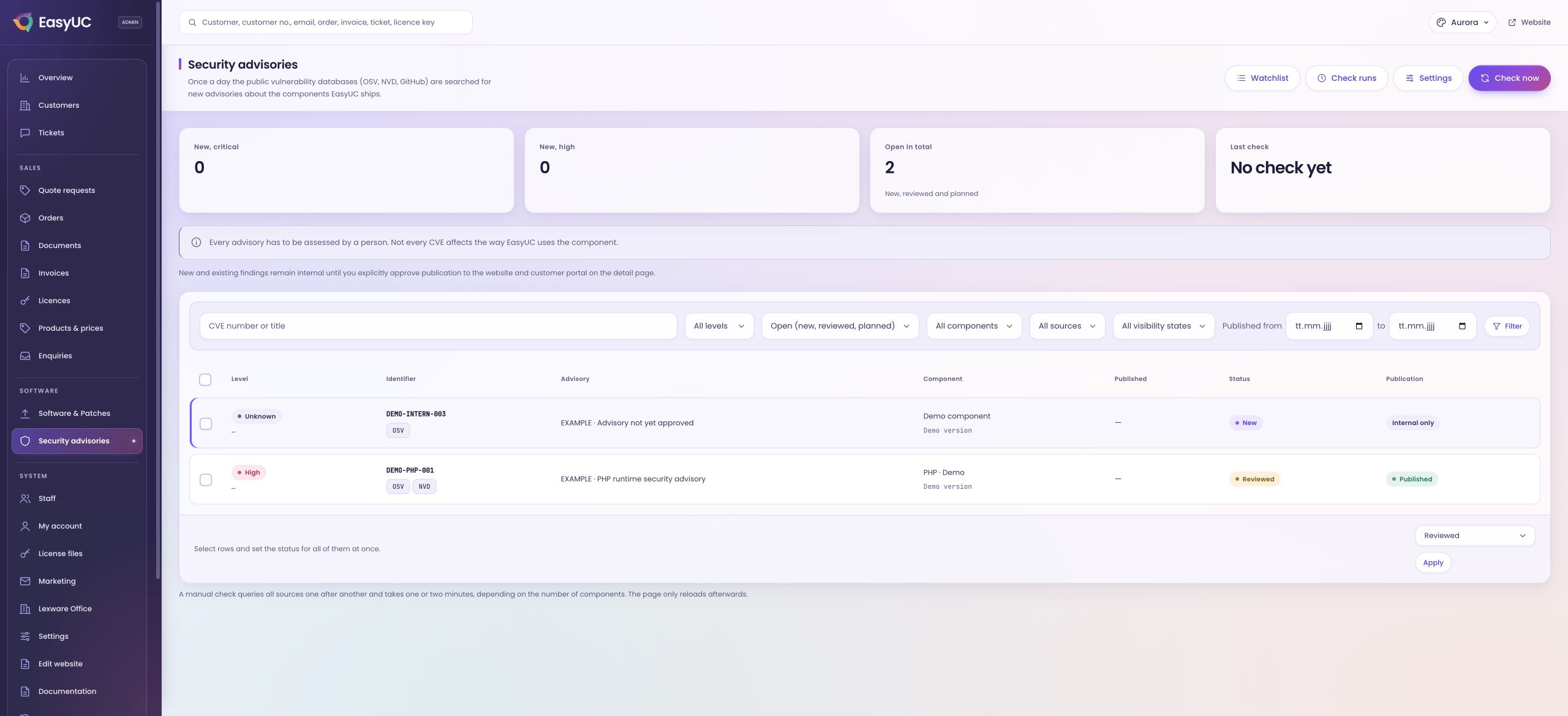
Monitoring at a glance
The team sees tracked components and available advisories as the starting point for its daily review.
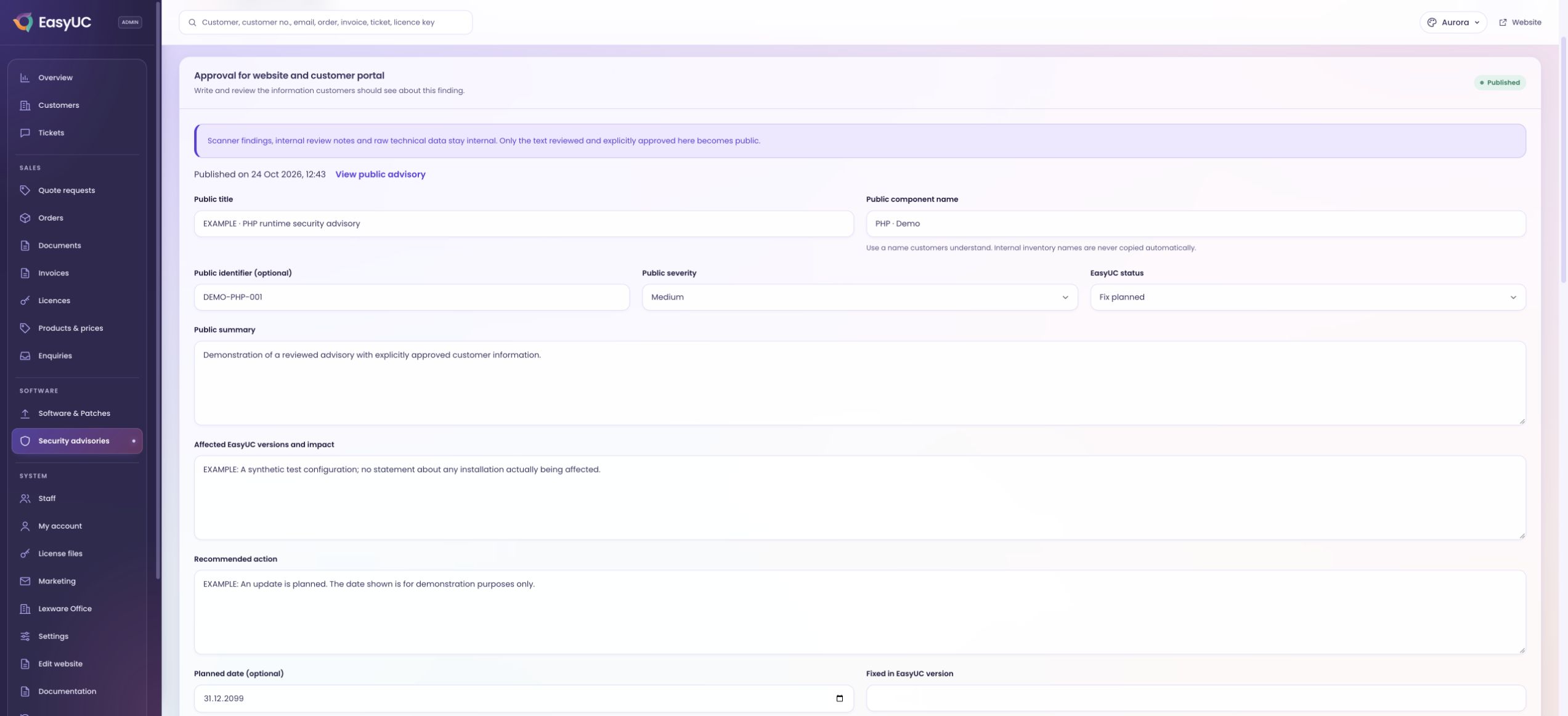
Deliberate approval
An advisory becomes public only when an authorised team member explicitly approves the information intended for customers.
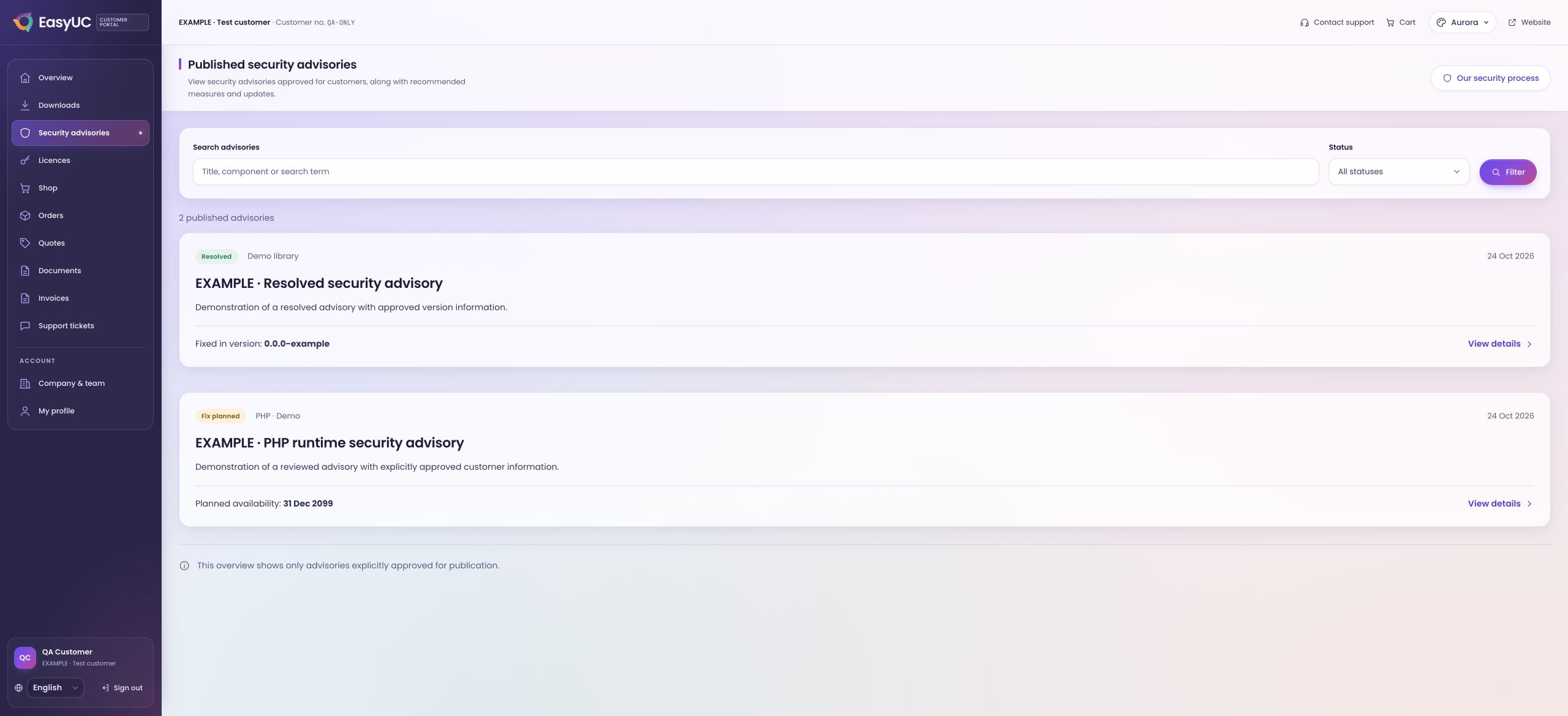
Information for customers
Customers see the approved summary, affected versions, recommended action and available updates.
Responsible publication
Reviewed information, clearly explained.
Automated findings are not published without review. Every public advisory is explicitly approved. Internal investigation notes and raw data remain internal. The overview contains only approved information and is updated when changes are approved again.
Published advisoriesAlso in your customer portal
The customer portal contains the same published advisories. Linked updates lead to their downloads; existing access permissions still apply.
Security in the customer portalThis overview shows the information approved for publication. Planned dates are updated following assessment and testing.