EasyUC

Software, updates and licence files are available in the customer portal. Go to downloads

EasyUC for Cisco and Microsoft Teams

Manage telephony and route calls to your team

EasyUC combines Cisco telephony administration with call distribution and an attendant console. Connect Microsoft Teams through the integrated SBC and run the software on your own servers.

EasyUC agent workspace
EasyUC agent workspace EasyUC · Lab/demo environment Interface screenshot in German

AI phone agents and your team

AI lends a hand. People stay part of the conversation.

The AI phone agent answers recurring questions and captures requests. It supports your team and frees up time for personal conversations. Agents and attendants remain an integral part of your telephony: when needed, a person takes over the call and helps the caller directly. You decide how AI and people work together.

Caller
AI phone agent

Answer questions and capture requests

Your team

Agents and attendants take over personally

You decide how AI and people work together.

Microsoft Teams

Call distribution and an attendant console for Teams

The integrated SBC connects Teams Direct Routing to EasyUC. Configure voice menus, queues and skill-based routing for your Teams telephony.

Architecture: Microsoft Teams through the EasyUC SBC Teams clients and Microsoft Phone System connect over the internet to the EasyUC SBC using SIP over TLS on port 5061 and SRTP. SBC, ACD and CUCM are in your data centre, behind your firewall. MICROSOFT 365 Teams clients Desktop, mobile, Teams phones Microsoft Phone System Direct Routing sip.pstnhub.microsoft.com INTERNET SIP/TLS 5061 TLS 1.2 · mTLS SRTP 20000–20999/UDP YOUR DATA CENTRE Firewall EASYUC APPLIANCE · OVA · K3S EasyUC SBC FreeSWITCH SIP profile per tenant Media always via SBC EasyUC ACD IVR scripts Queues Skills Attendant console BLF with Teams presence TTS · local Cisco CUCM cucm-pub01.intern 11.5 – 15 JTAPI AXL Cisco phones Jabber · Webex Call data, recordings and traces stay inside this boundary.

Presence Sync

On a Cisco call. Visible in Teams.

Presence Sync brings the call status of your Cisco telephony into Microsoft Teams, so your team can see who is on a call. Configure the standalone module to suit your environment.

EasyUC CUCM

Your Cisco telephony. Simpler to manage.

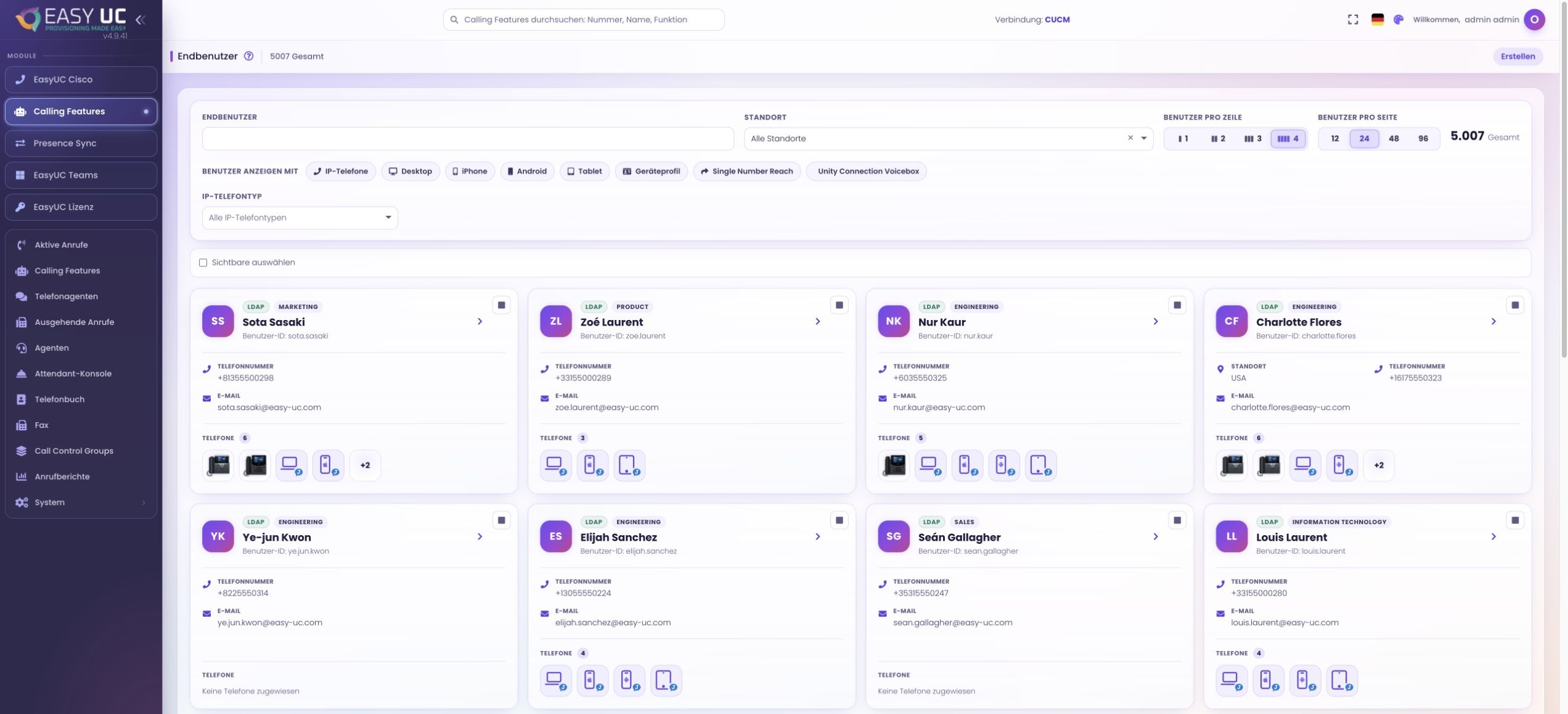
Manage users, phones, phone numbers and voicemail in one interface. Templates, guided setup and self-service help EasyUC simplify recurring tasks across your Cisco telephony.

EasyUC CUCM user management
EasyUC CUCM user management EasyUC · Lab/demo environment Interface screenshot in German

Call monitoring and SIP diagnostics

Investigate call problems with SIP traces

SIP trace per Teams tenant, pcap export per Call-ID for Wireshark, live calls from CUCM and the SBC. All captures stay on your system.

From the voice menu to the right agent

Decide which announcement callers hear, which team handles their enquiry and what happens outside service hours. An IVR script controls the call flow; queues and skills determine which agents receive calls.

Everything about the ACD
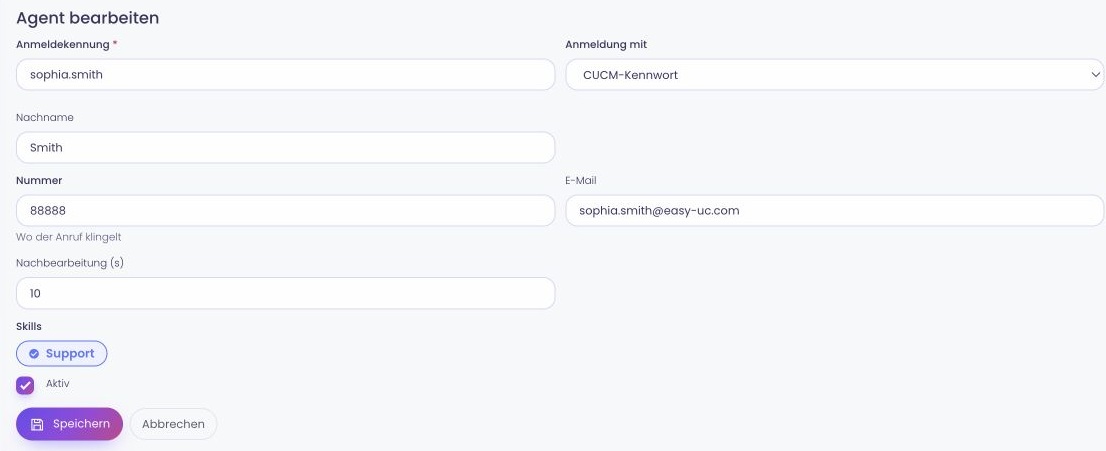
Skill assignments in EasyUC
Skill assignments in EasyUC EasyUC · Lab/demo environment Interface screenshot in German

Skills and levels

Agents have skills with levels and belong to teams. A script can route by skill.
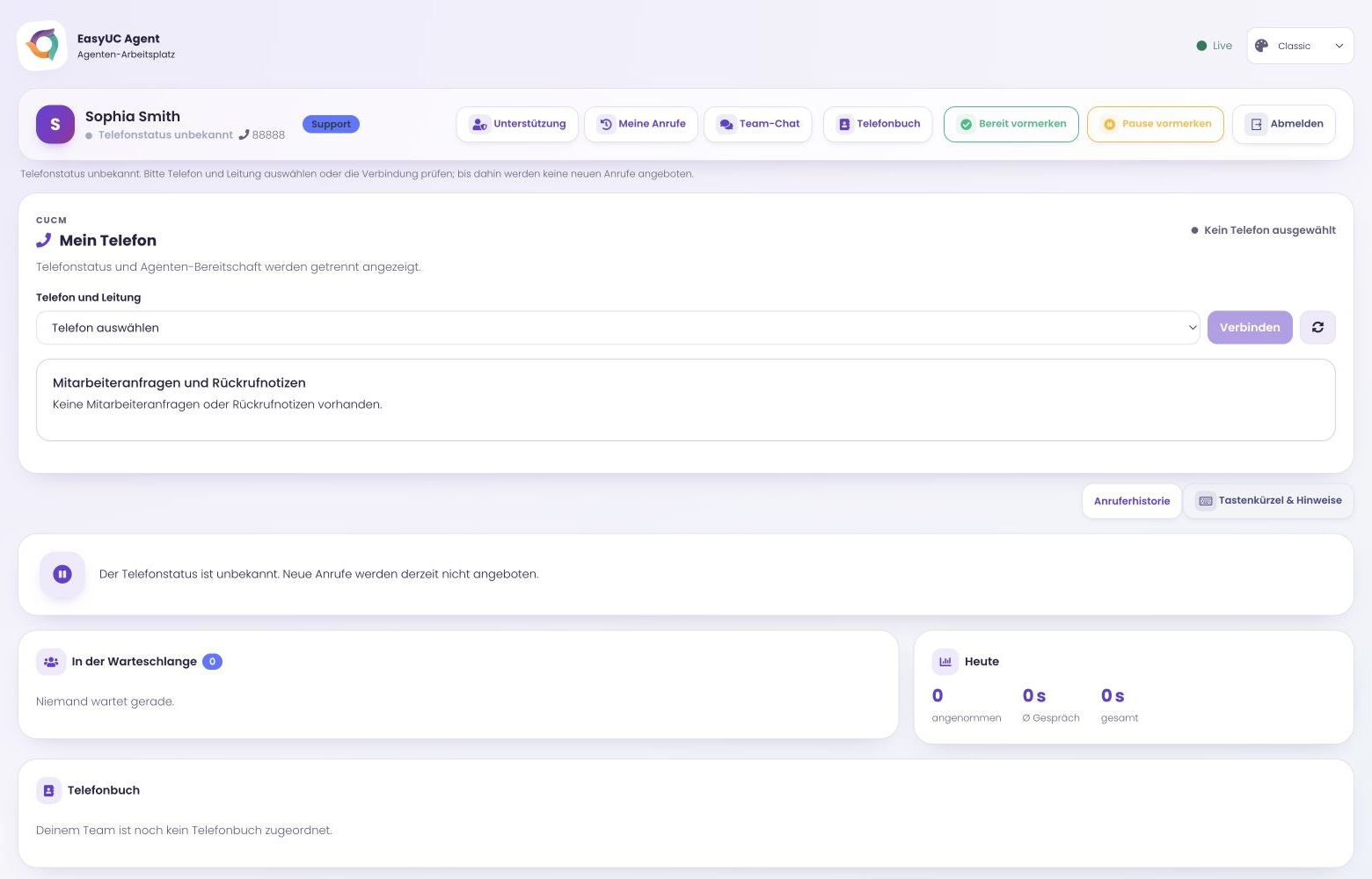
EasyUC agent workspace
EasyUC agent workspace EasyUC · Lab/demo environment Interface screenshot in German

States and wrap-up

Available, busy, away, and wrap-up from 0 to 300 seconds. Agents accept or reject each offered call.
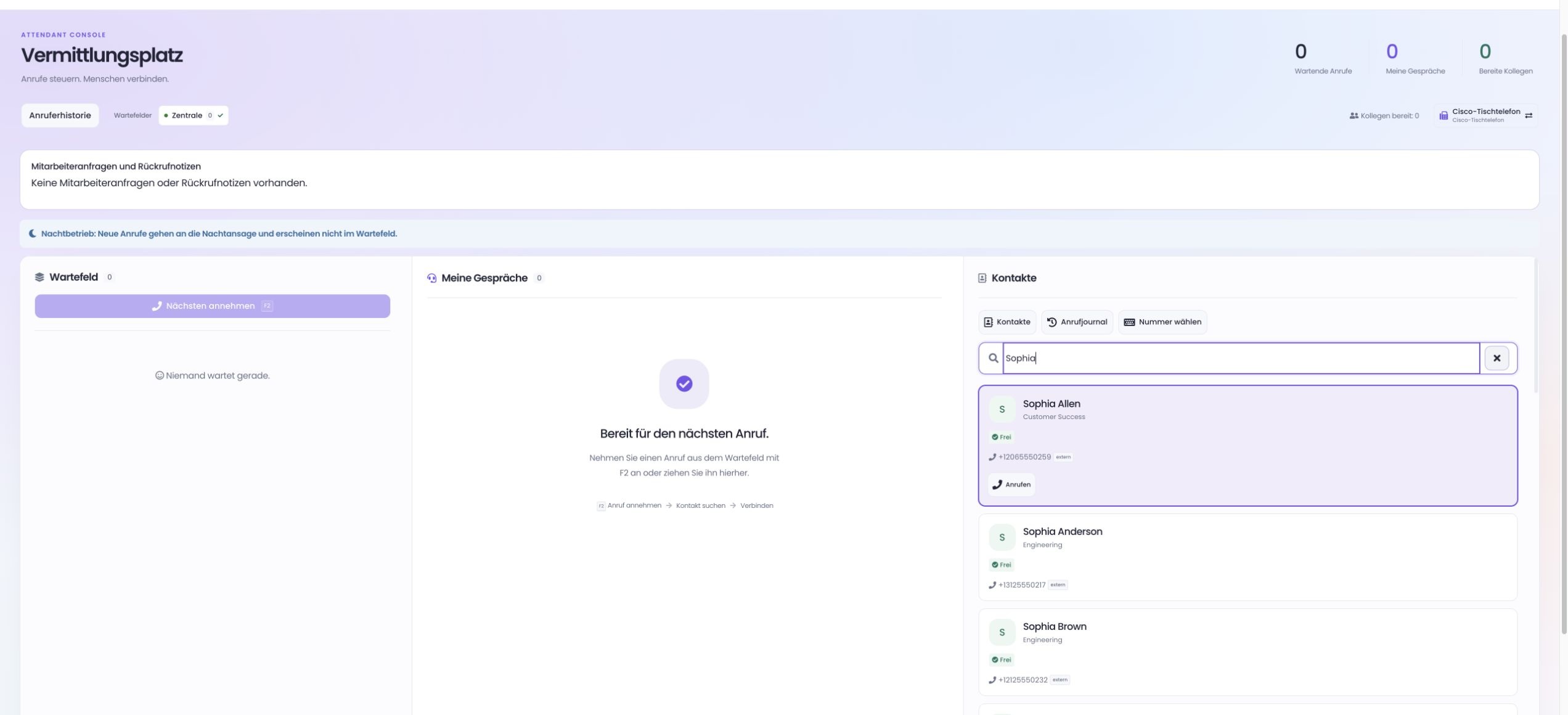
EasyUC attendant console
EasyUC attendant console EasyUC · Lab/demo environment Interface screenshot in German

Attendant console

Queues with priorities and VIP numbers, day, night and special modes, and a busy lamp field with Teams presence.
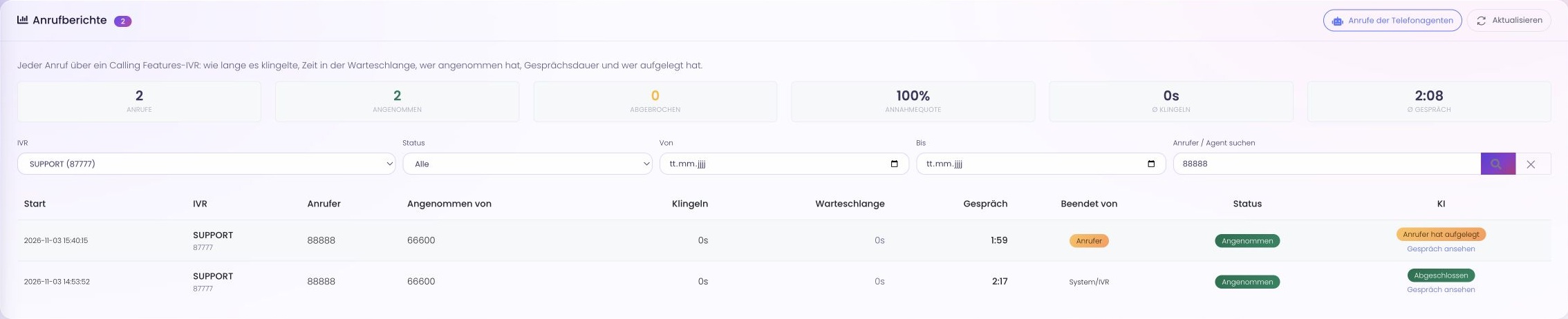
EasyUC call reports – internal test calls
EasyUC call reports – internal test calls EasyUC · Lab/demo environment Interface screenshot in German

Reports

Call reports by IVR, status, date, caller and agent, plus statistics per skill.

IVR scripts

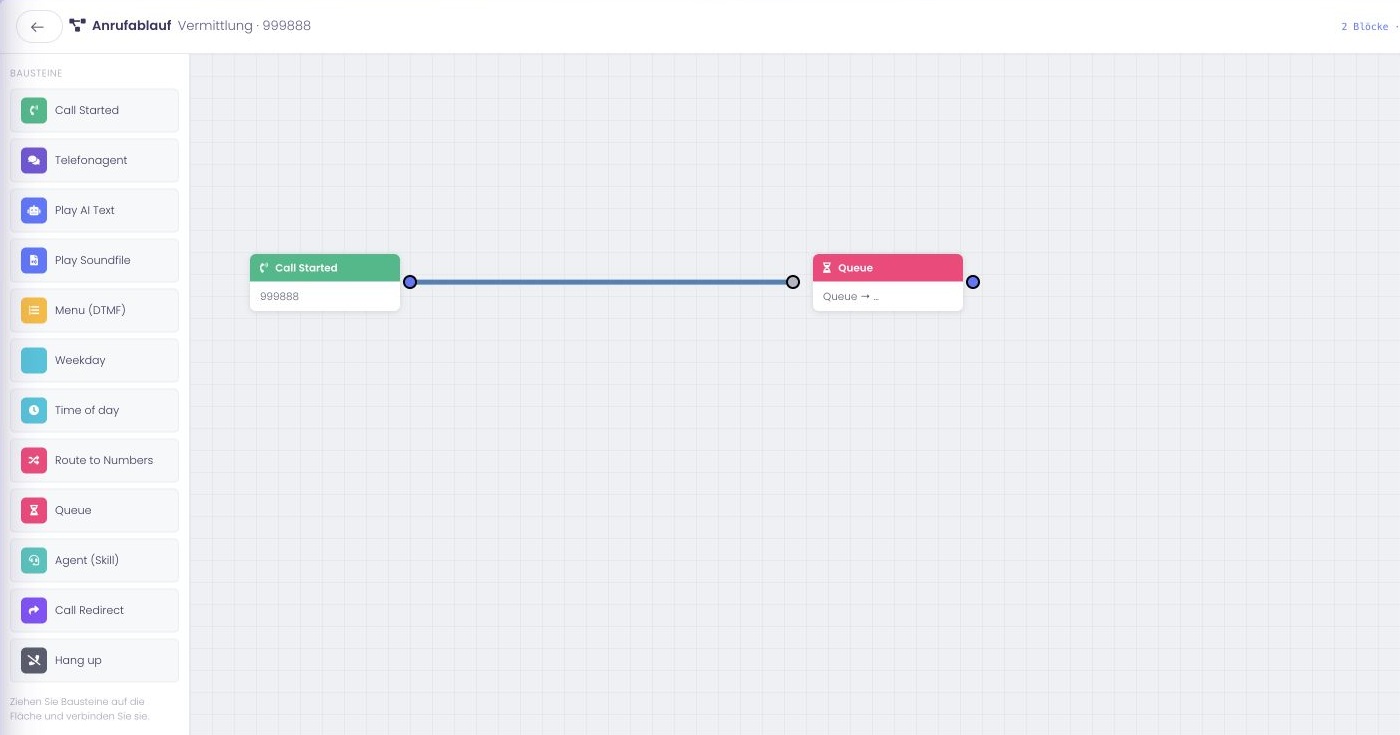
Build voice menus in the browser

Enter announcement text directly in the block. Text-to-speech on the EasyUC server creates the audio file. You can also upload your own recording.

Call flow in the EasyUC editor
Call flow in the EasyUC editor EasyUC · Lab/demo environment Interface screenshot in German

Microsoft Teams

Direct Routing with an integrated SBC

EasyUC routes Teams calls through its own SBC and lets you manage multiple tenants separately. Set up the trunk and voice routes from EasyUC through its PowerShell connection.

Signalling
TLS 1.2 on 5061/TCP, mutual TLS
Media
SRTP, AES_CM_128_HMAC_SHA1_80
RTP ports
20000–20999/UDP
Certificate
Let's Encrypt, DNS-01
Tenants
several, one SIP profile each
Based on
FreeSWITCH
EasyUC attendant console
EasyUC attendant console EasyUC · Lab/demo environment Interface screenshot in German

Investigate call problems with SIP traces

You switch on a SIP trace for a Teams tenant for a limited time. EasyUC captures the messages via HEP and masks the SRTP keys. A single call can be exported by Call-ID as a pcap file and opened in Wireshark.

More on monitoring and diagnostics

Live calls

Active calls from CUCM over JTAPI, plus a separate list for calls through the SBC.

Troubleshooting recordings

Stereo WAV with a window of 1 to 240 minutes, only after the notice on § 201 StGB has been confirmed.

Manage CUCM users and phones

A new employee needs a user account, phone, extension and voicemail. Manage these assignments in one interface and use templates for recurring configurations.

EasyUC for CUCM in detail

Provisioning

Users, phones, numbering plan, hunt groups, voicemail via CUPI

CURRI

Caller name from the phonebook, blocklist

EasyUC in your environment

Tell us which telephony platform you use, how many people need access and which functions you need. We will discuss the setup and demonstrate the relevant workflows.

Existing customers

Licences, updates, invoices and support tickets are in the customer portal.

Go to the customer portal