
BEFORE YOU START
What you need
- Log access is required; export, technical details and settings have separate permissions, and location restrictions affect visibility.
- Configure CUCM Change Feed and any AuditApp collection per connection. Recovery requires successful backups of supported objects.
Find the affected operation
Where to work: Logs → EasyUC Logs → Search and time range
Select the connection and incident window, then search by User ID, number, device name or MAC and refine source, result, type or location. The default covers seven days; check filters and access before concluding that no change occurred.
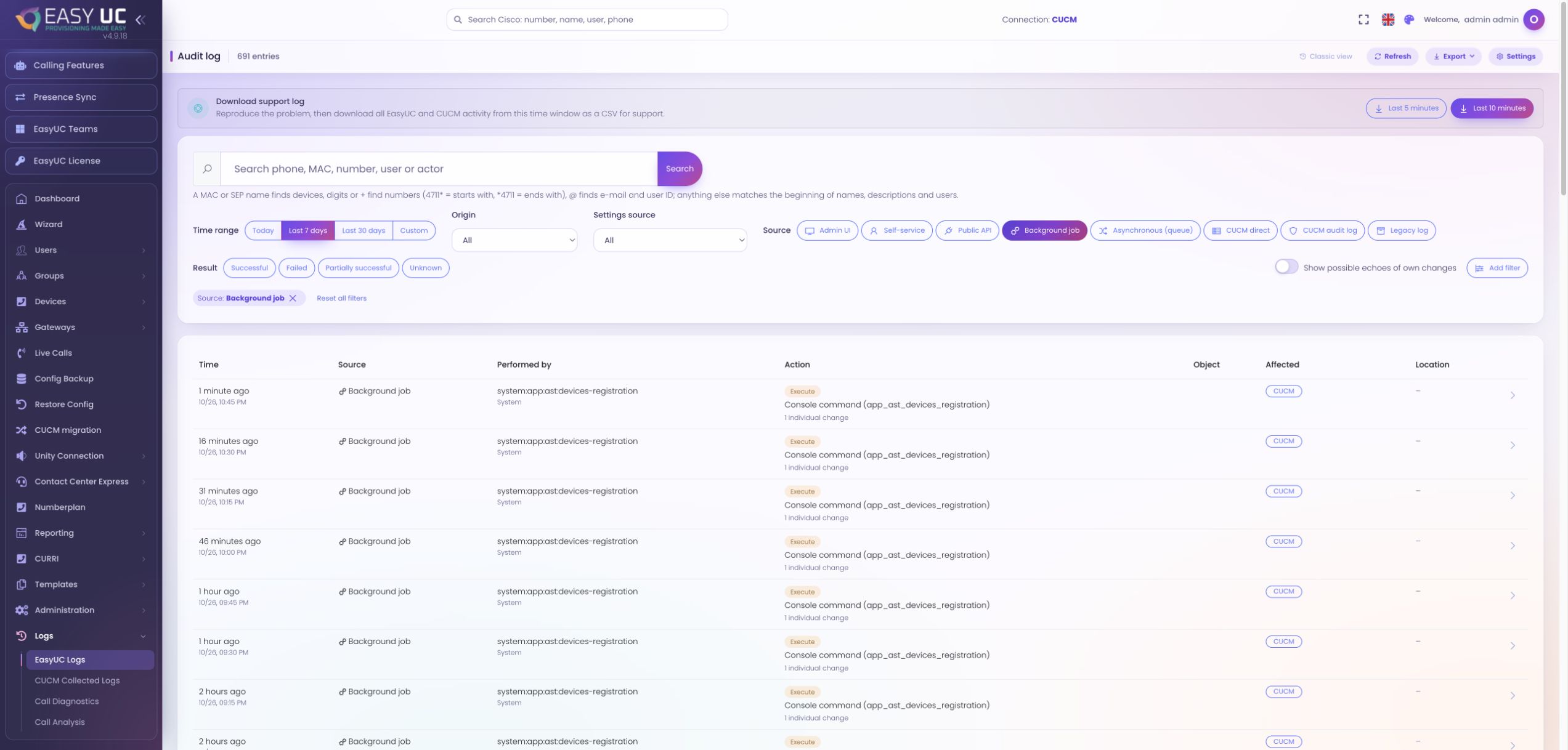
Inspect before, after and individual changes
Where to work: Log entry → Changes and participants
Open the event and inspect available before/after values and individual operations, including success, failure or partial completion. Follow linked events for background continuations. Secret fields indicate a change without storing their values.
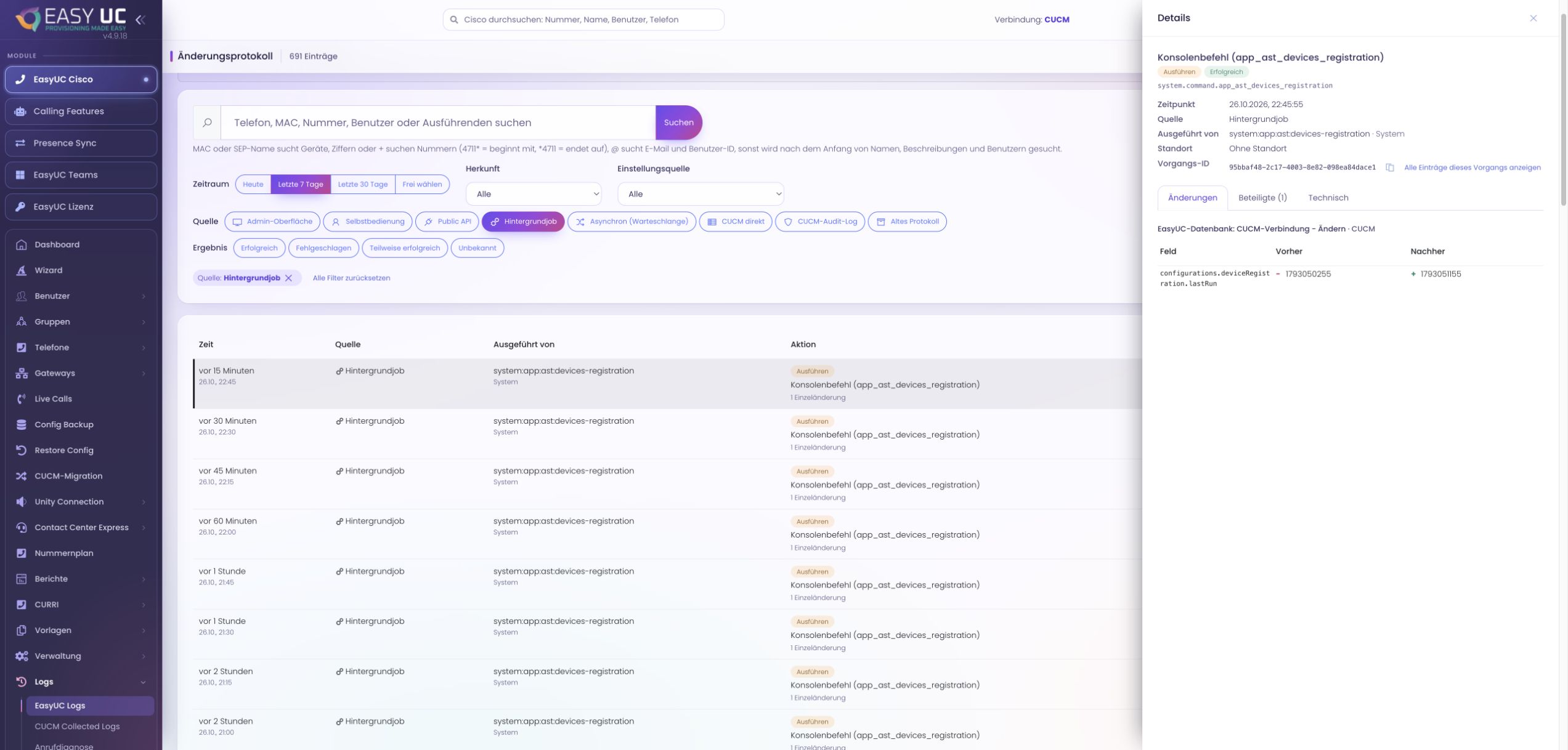
Distinguish EasyUC and direct CUCM changes
Where to work: Log source / CUCM Connection → CUCM change log
EasyUC events can identify the initiating UI, API or system actor. Direct CUCM Change Feed events initially identify objects and changes with polling-level time precision, not a reliable actor. Optional AuditApp processing may add one; inspect the recorded evidence.
Check sources, retention and gaps
Where to work: EasyUC Logs → Settings / CUCM Connection → Sources
Confirm that the source was enabled and records are within retention. Defaults are twelve months for EasyUC and three for CUCM, both configurable; IP addresses are removed after ninety days by default. Polling gaps and rotation can limit evidence.
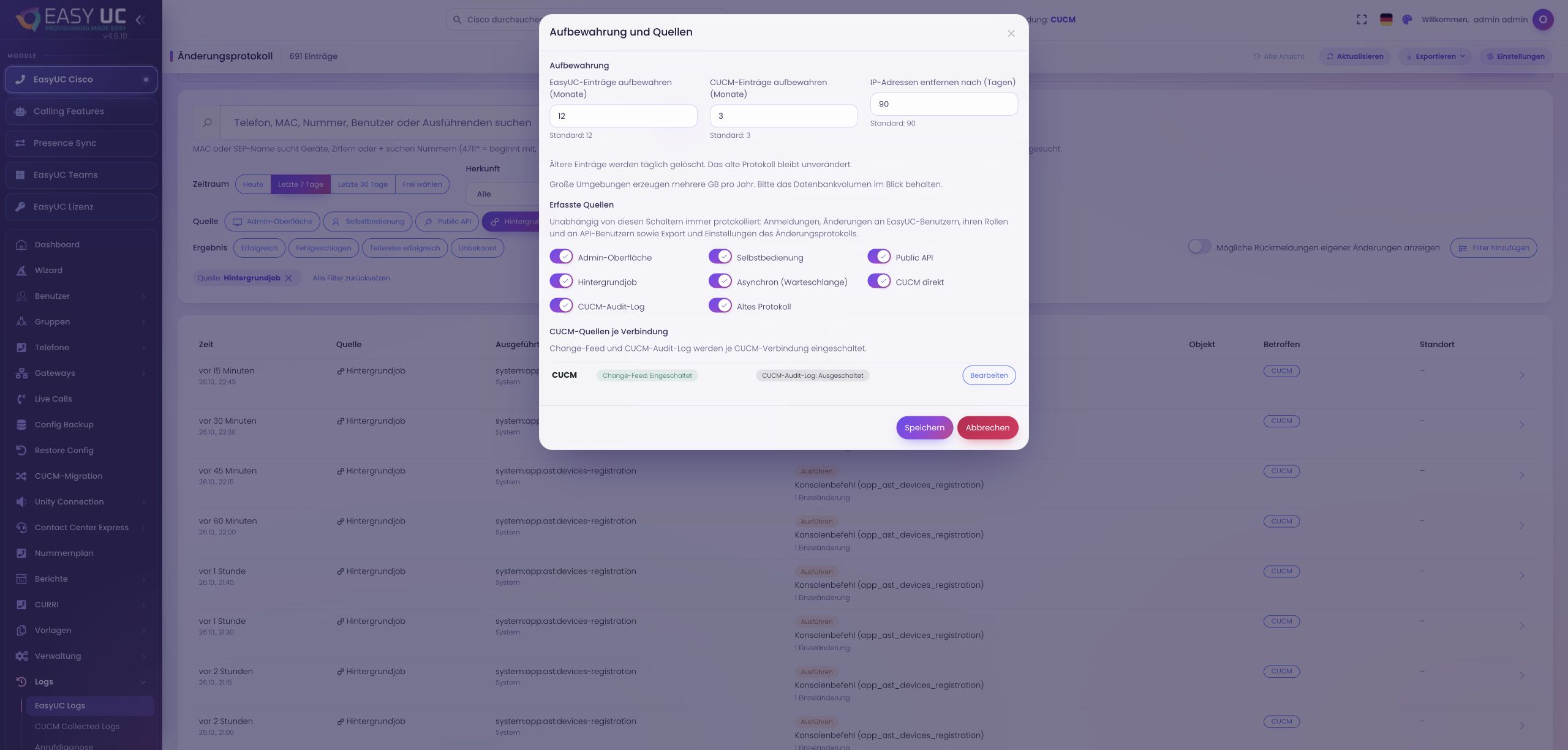
Review retention and audit sources
The lab shows 12 months for EasyUC entries, 3 months for CUCM entries and 90 days until IP addresses are removed. Audit sources and connection-specific CUCM collection are visible. No settings changed; original German interface.
Export the filtered findings
Where to work: EasyUC Logs → Export
With export permission, download filtered CSV or Excel; the export itself is logged. Limits are 200,000 CSV rows or 10,000 Excel rows, with a limited export offered for larger results. Technical data remains permission-controlled.
Assess separate recovery after deletion
Where to work: Users → Deleted Users / CUCM backup
A change record alone cannot restore configuration. Open the recovery plan and check backups, live objects and conflicts. Direct CUCM deletions may also be recoverable when the necessary data was backed up beforehand; missing or unsupported data limits recovery.
The result
An identified operation with affected objects, available before/after values and outcome, plus a separate assessment of usable backups and recoverable data.
Good to know
- Optional CUCM AuditApp processing is off by default. Its documented parser in the reviewed version has not been validated against real files; validate a real AuditApp file before deployment. Complete actor attribution is not guaranteed.
- CUCM backups are off by default, with a default ninety-day deleted-object retention adjustable to 7–365 days. Passwords, PINs, IM&P contacts and certain associations cannot be restored; unconditional lossless recovery is not supported.
Captures come from the EasyUC lab and demo environment. Captions identify setup and simulation states. If the interface is not yet available in your language, its original language is labelled. Available features depend on the version, permissions and configured connections.