Presence Sync
Show Cisco calls in Teams presence
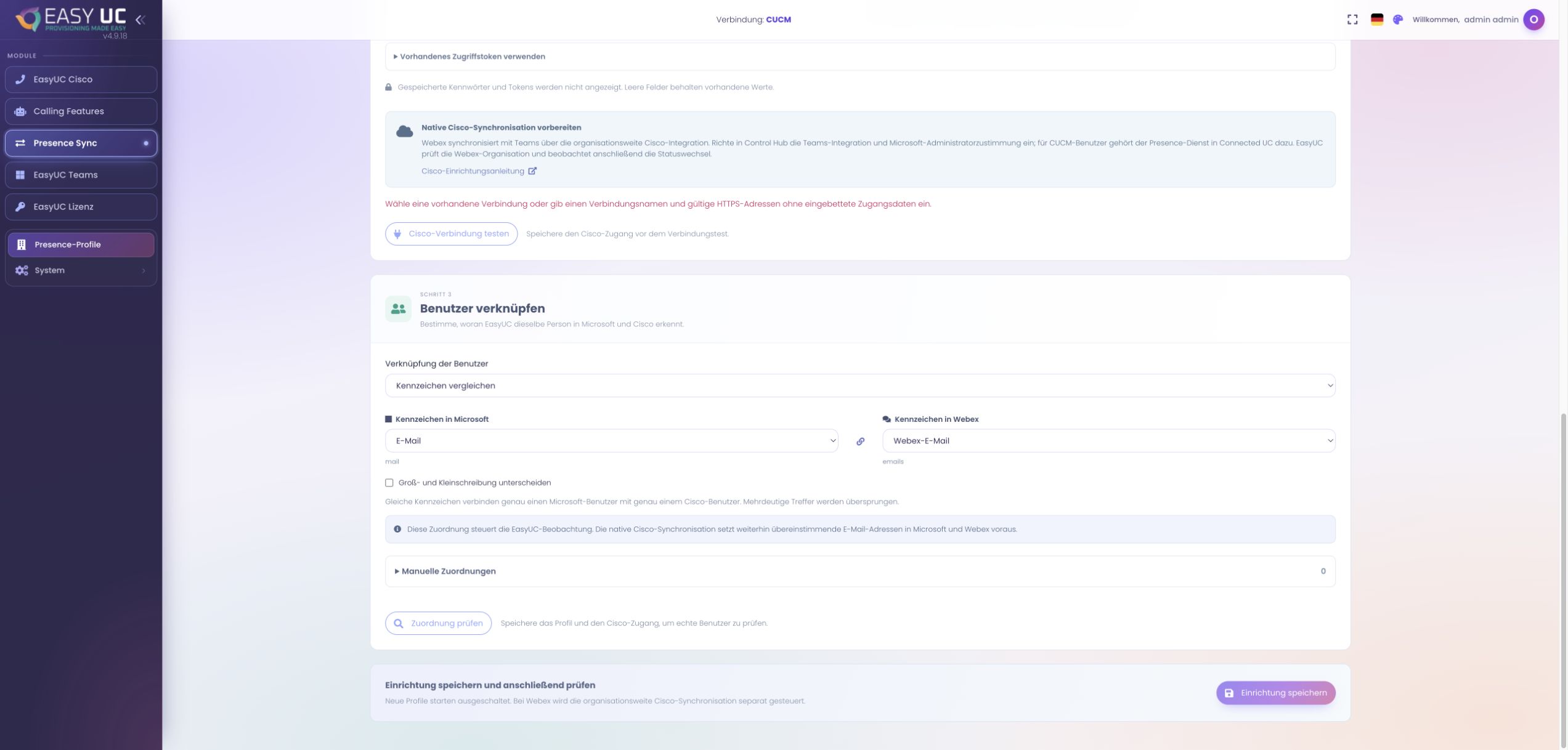
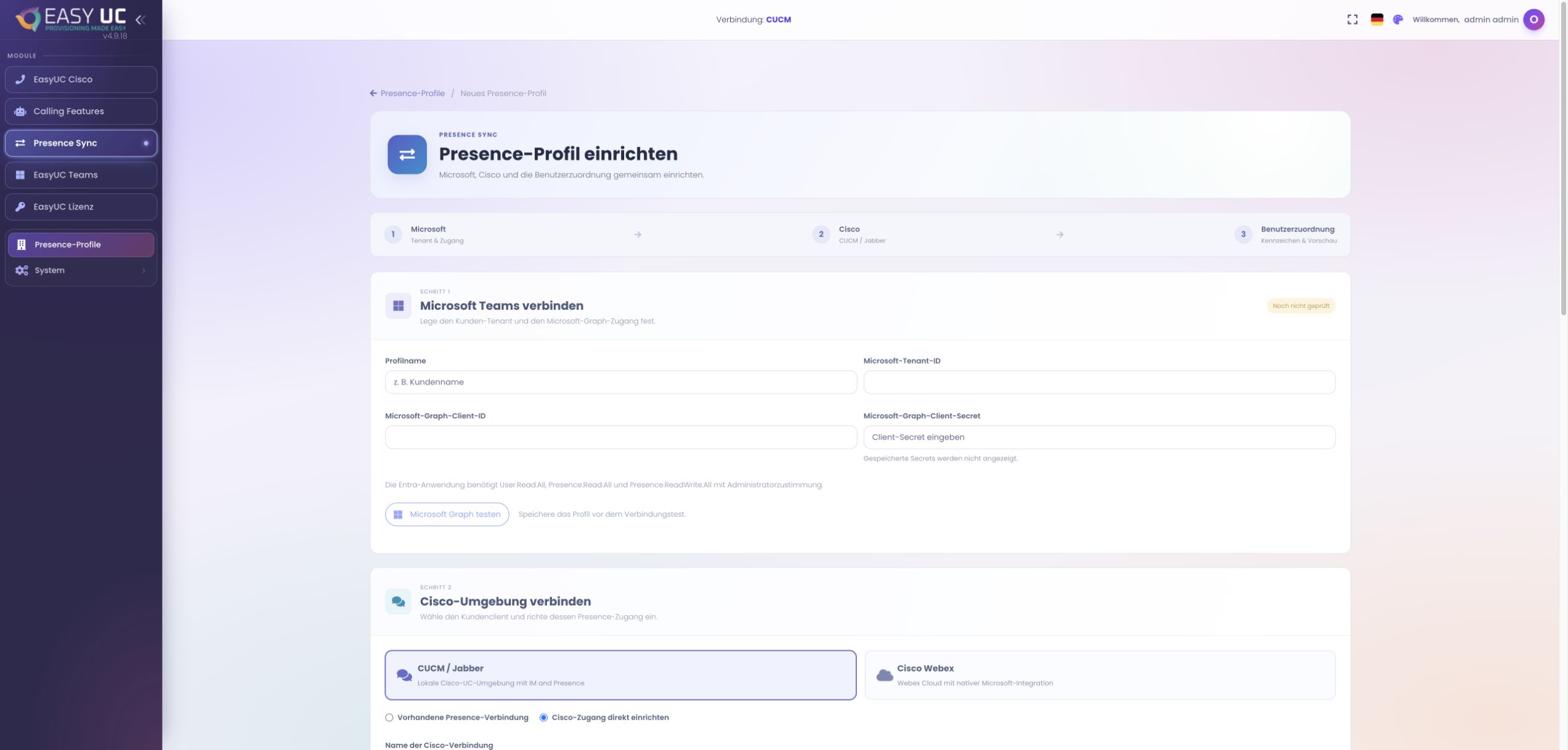
Match users unambiguously, preview a confirmed Cisco call in a dry run, then enable the required presence direction.
6 stepsExplore
EASYUC IN PRACTICE
See how EasyUC helps you complete real tasks. Choose an example and follow the workflow, with genuine screens, exact menu paths and the result you can expect.
Connect Cisco and Microsoft Teams: match identities, understand status rules and follow synchronization.
Match users unambiguously, preview a confirmed Cisco call in a dry run, then enable the required presence direction.
Prepare Cisco’s integration, bind the correct Webex organisation and observe presence changes in EasyUC.
Captures come from the EasyUC lab and demo environment. Captions identify setup and simulation states. If the interface is not yet available in your language, its original language is labelled. Available features depend on the version, permissions and configured connections.