
BEFORE YOU START
What you need
- Verify the CUCM connection and user identity, and obtain the required object-specific deletion permissions.
- Clarify shared phones, numbers and mailboxes, and coordinate the directory process for LDAP identities.
Select the delete action
Where to work: Dashboard → User actions → Delete
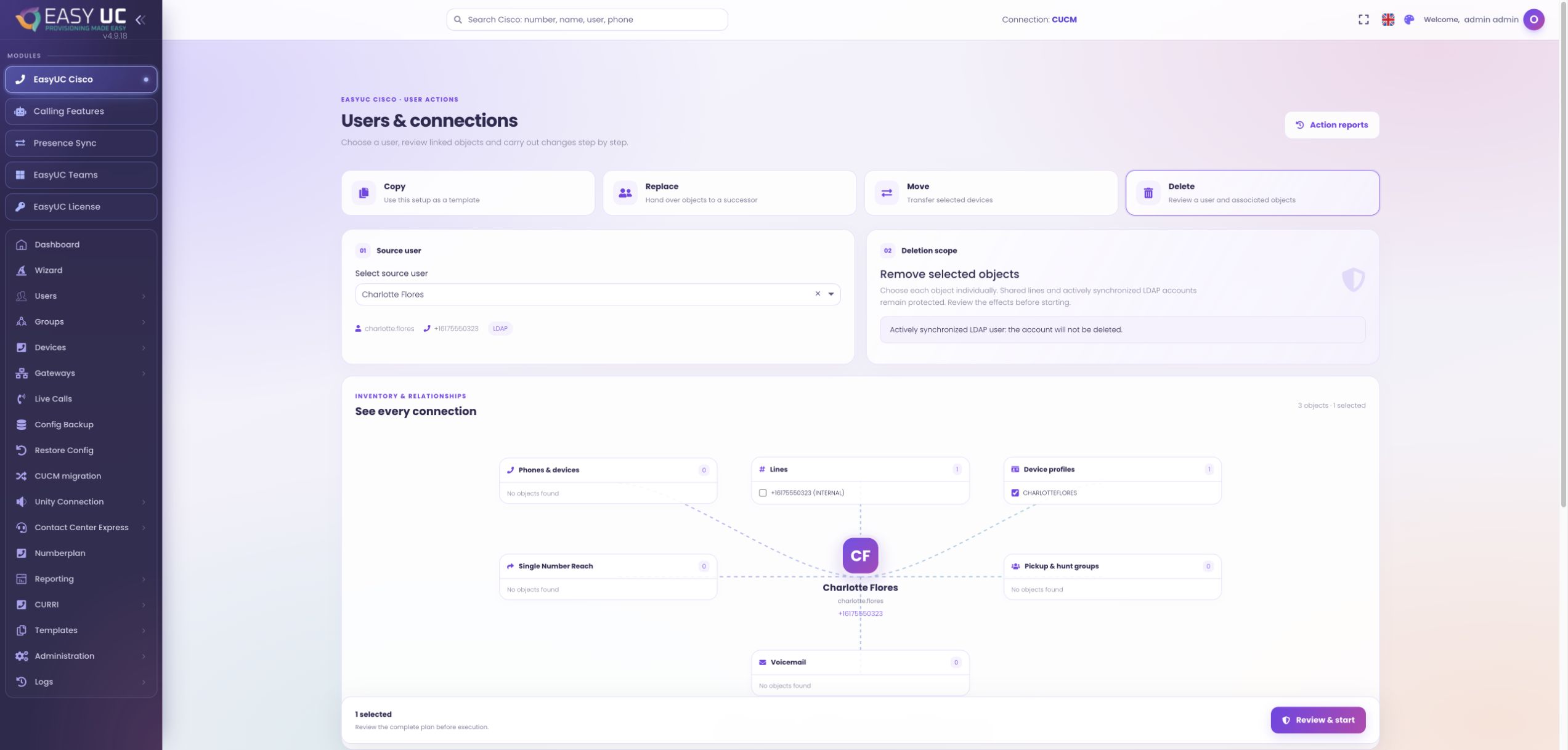
Open User actions, choose Delete and find the user. Verify the User ID, name and number. Selecting a user loads their current configuration without deleting anything, which is particularly important for similar names or reused numbers.
Review the loaded relationships
Where to work: User actions → Relationships and object list
Review lines, devices, profiles, analogue ports, remote destinations and mailboxes, including incomplete-load notices. A missing result does not prove absence. Pay special attention to objects found only through a matching number rather than a direct association.
Choose what to keep and delete
Where to work: Object list → Resource selection
Select only resources that should be removed. Shared devices are unselected by default, and lines on retained or other users’ devices can be protected. A mailbox found only by number may belong to someone else.
Read the final review
Where to work: User actions → Review and start
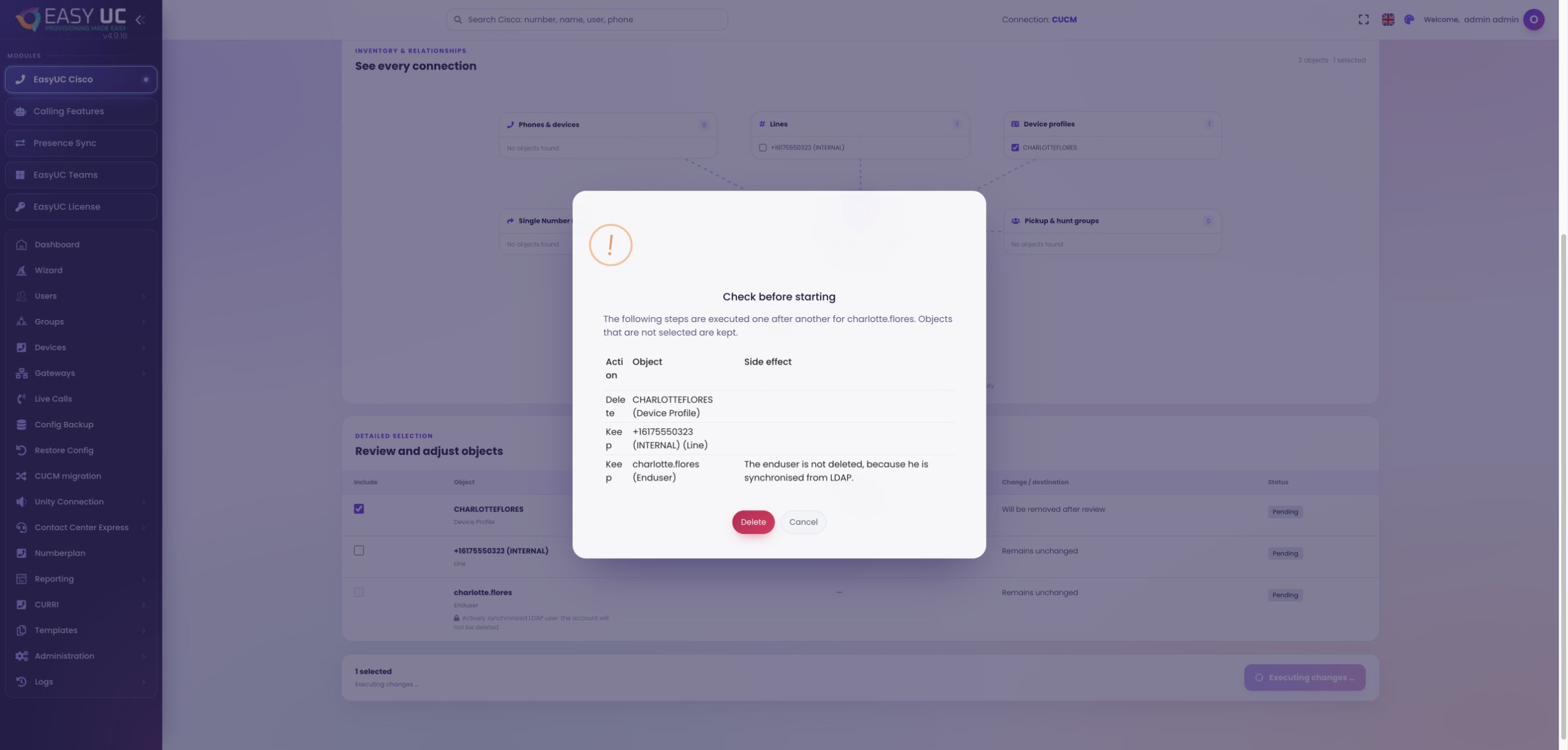
Open the final review and inspect actions and effects. Execution begins only after confirming this dialog. If the local user is scheduled for deletion, EasyUC attempts a prior snapshot, but snapshot failure does not necessarily stop deletion.
Follow execution and remaining users
Where to work: User actions → Progress and result
Inspect each object’s status. Devices precede dependent lines, and the user is processed last. Blocking lines can preserve the user; this task does not delete LDAP users themselves. Check successful, failed and skipped steps individually.
Resolve exceptions and retain a record
Where to work: Result report / Logs / Deleted Users
Use the report to investigate and retry appropriate failed steps. Consult the change log and Deleted Users when recovery is needed. Recovery checks the current CUCM state and can be limited by missing backups, conflicting ownership or unsupported data.
The result
Selected telephony objects are removed, with retained or blocked objects visible. A local user is deleted last, only when the remaining associations permit it.
Good to know
- An audit entry is not a full backup. Passwords, PINs, IM&P contacts and some mobility objects cannot simply be recovered. Direct CUCM deletions require prior successful backups of supported objects.
Captures come from the EasyUC lab and demo environment. Captions identify setup and simulation states. If the interface is not yet available in your language, its original language is labelled. Available features depend on the version, permissions and configured connections.